> ## Documentation Index
> Fetch the complete documentation index at: https://docs.crotus.io/llms.txt
> Use this file to discover all available pages before exploring further.
# Quickstart
> Start collecting high-quality user reviews in under 5 minutes
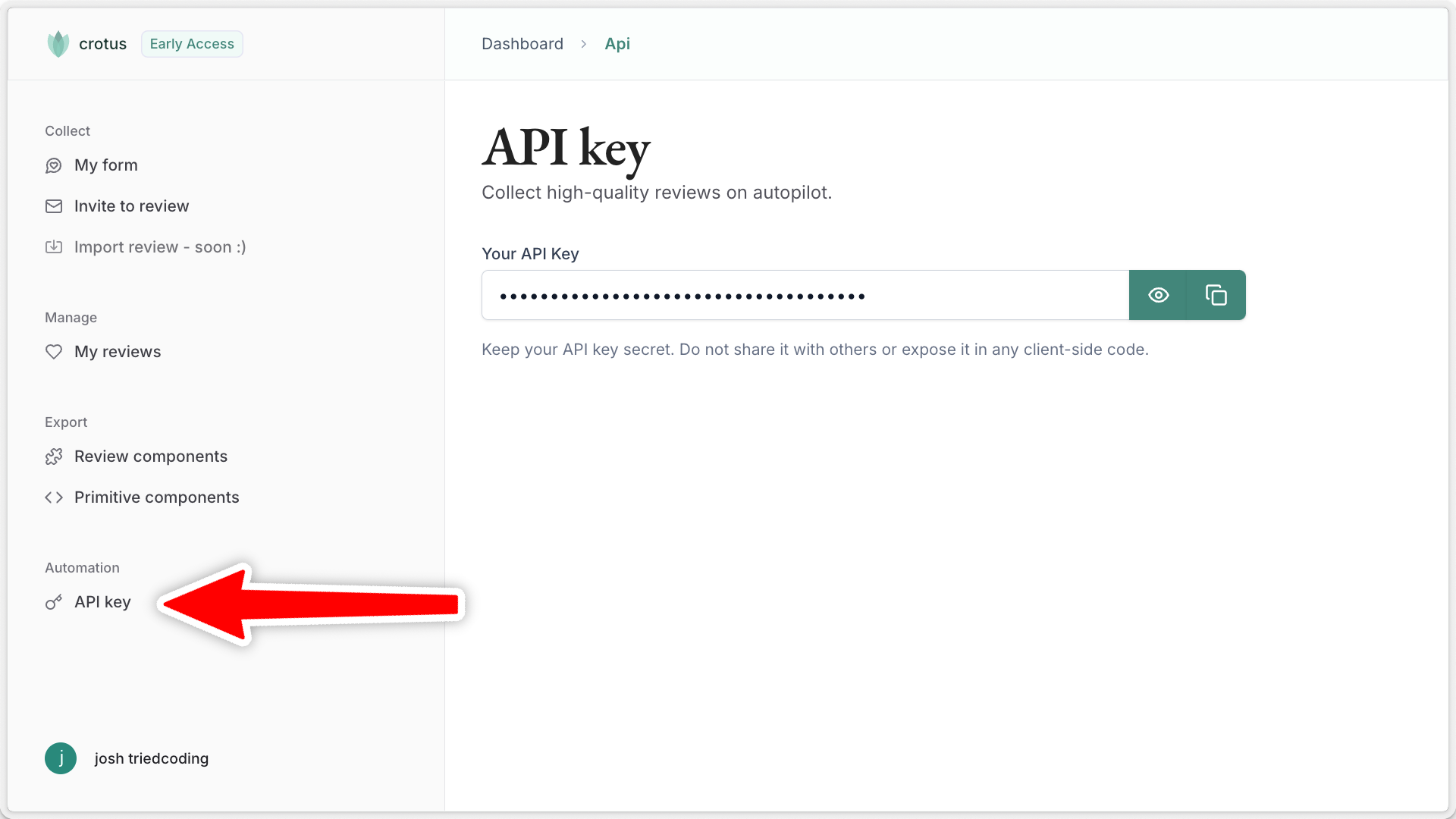
## Step 1: Copy your API key
After you sign up for a Crotus account, you'll be redirected to the dashboard. Here, you can find your API key.
 ## Step 2: Installation
To collect reviews on autopilot, first install the package:
```bash Terminal theme={null}
npm install crotus
```
## Step 3: Setting environment variables
Either set your API key as the `CROTUS_API_KEY` environment variable, or pass it explicitly when creating the client:
```typescript utils/crotus.ts theme={null}
import { Crotus } from "crotus";
const crotus = new Crotus({
apiKey: process.env.CROTUS_API_KEY,
});
```
## Step 4: Collect reviews
That's it! You're now ready to start collecting reviews. For example, by automatically sending a review request via email:
* When a user signs up to your service
* After a customer completes a purchase
* Following a support interaction or service delivery
Follow our [automatic review emails guide](/features/auto-review-email) to get started.
## Step 2: Installation
To collect reviews on autopilot, first install the package:
```bash Terminal theme={null}
npm install crotus
```
## Step 3: Setting environment variables
Either set your API key as the `CROTUS_API_KEY` environment variable, or pass it explicitly when creating the client:
```typescript utils/crotus.ts theme={null}
import { Crotus } from "crotus";
const crotus = new Crotus({
apiKey: process.env.CROTUS_API_KEY,
});
```
## Step 4: Collect reviews
That's it! You're now ready to start collecting reviews. For example, by automatically sending a review request via email:
* When a user signs up to your service
* After a customer completes a purchase
* Following a support interaction or service delivery
Follow our [automatic review emails guide](/features/auto-review-email) to get started.